
Securing Your Google Maps API Key Using HTTP Referrer Restriction
Keeping an API key confidential is the first line of defense, but Google gives you a second layer worth using: HTTP referrer restriction. If your site does not have a Maps API key yet, get one first, then come back and lock it down.
Step 1
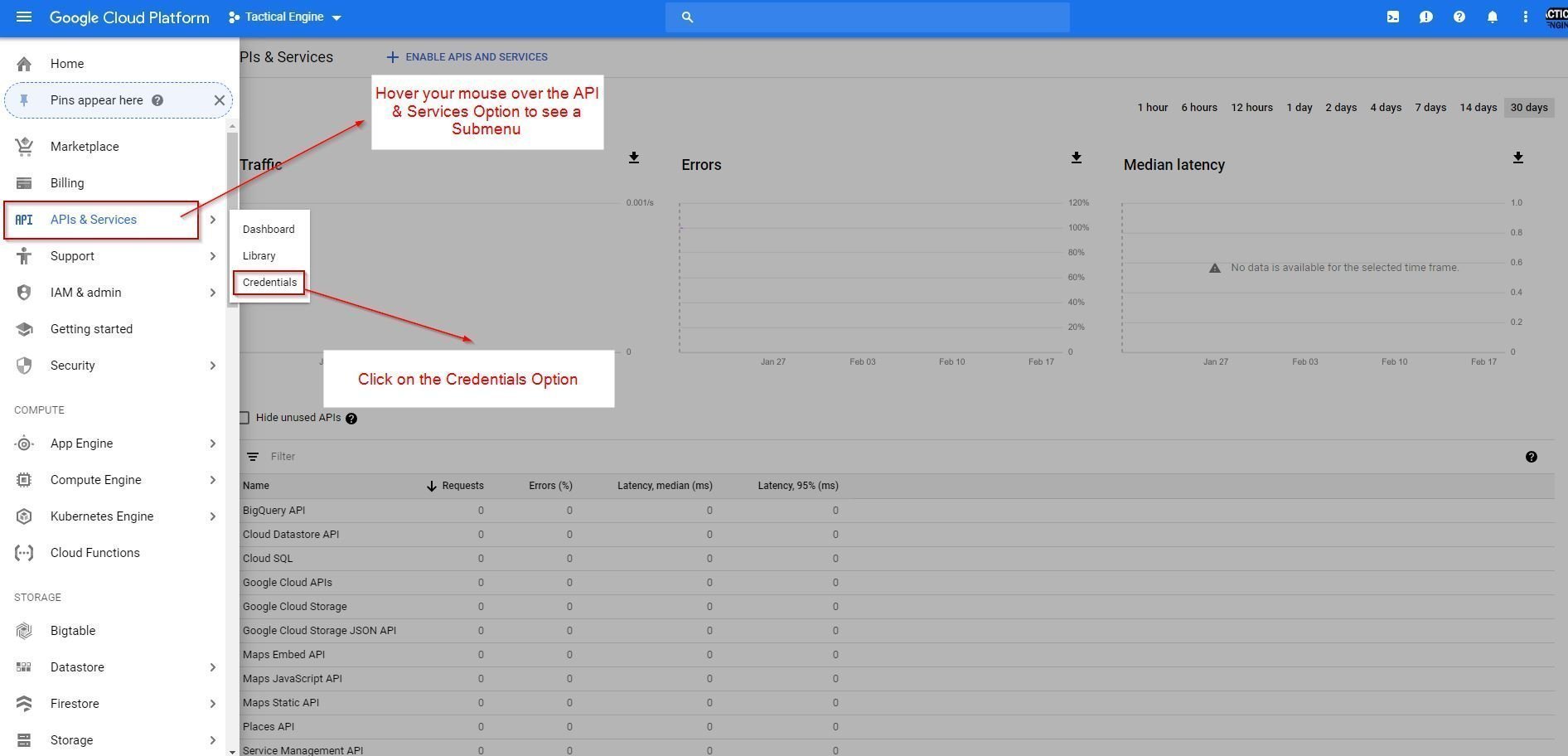
Open the Google Cloud Platform console and go to API & Services → Credentials.
Step 2
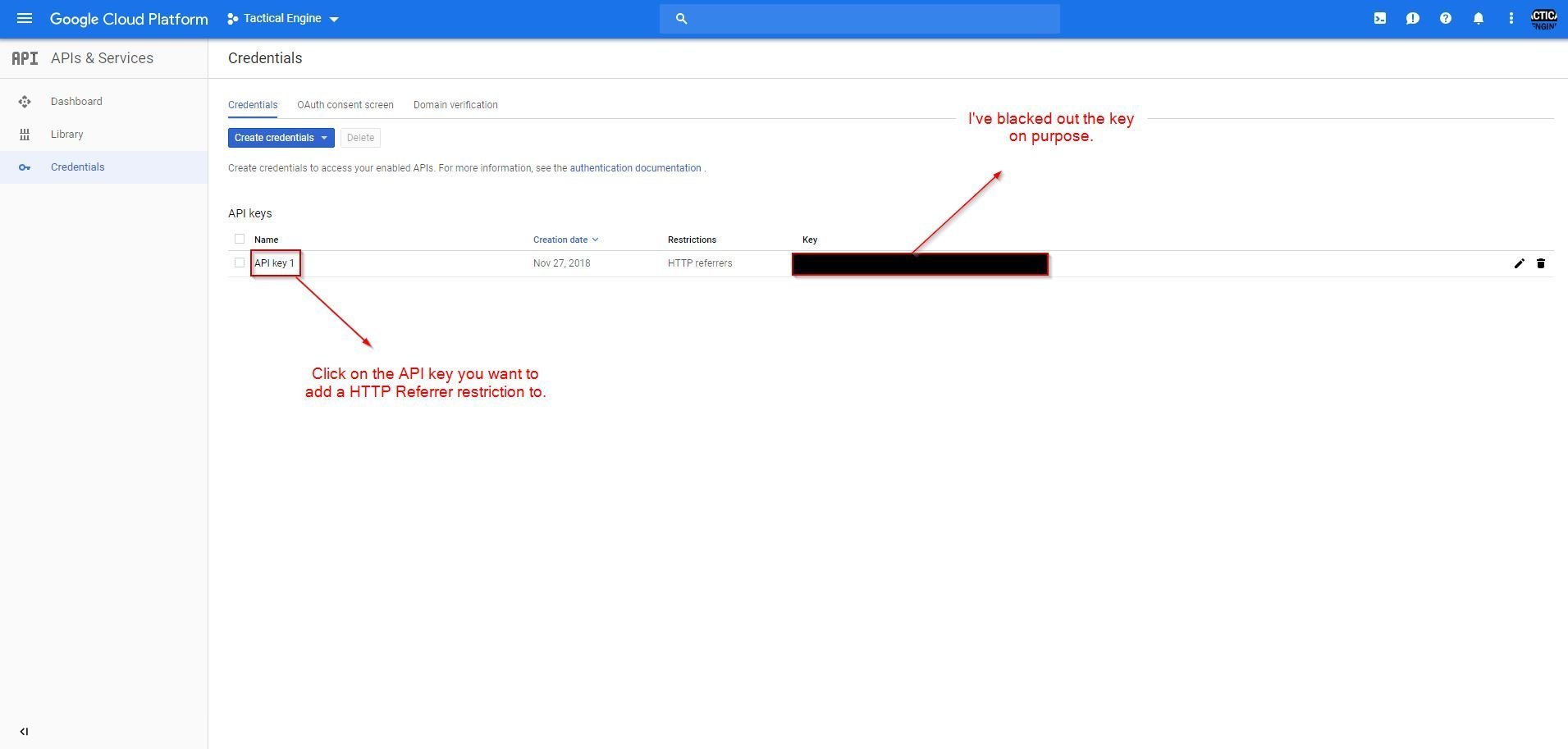
Select the specific API key you want to restrict.
Step 3
Under Application restrictions, choose HTTP referrers (websites) and enter your domain in the format Google expects.
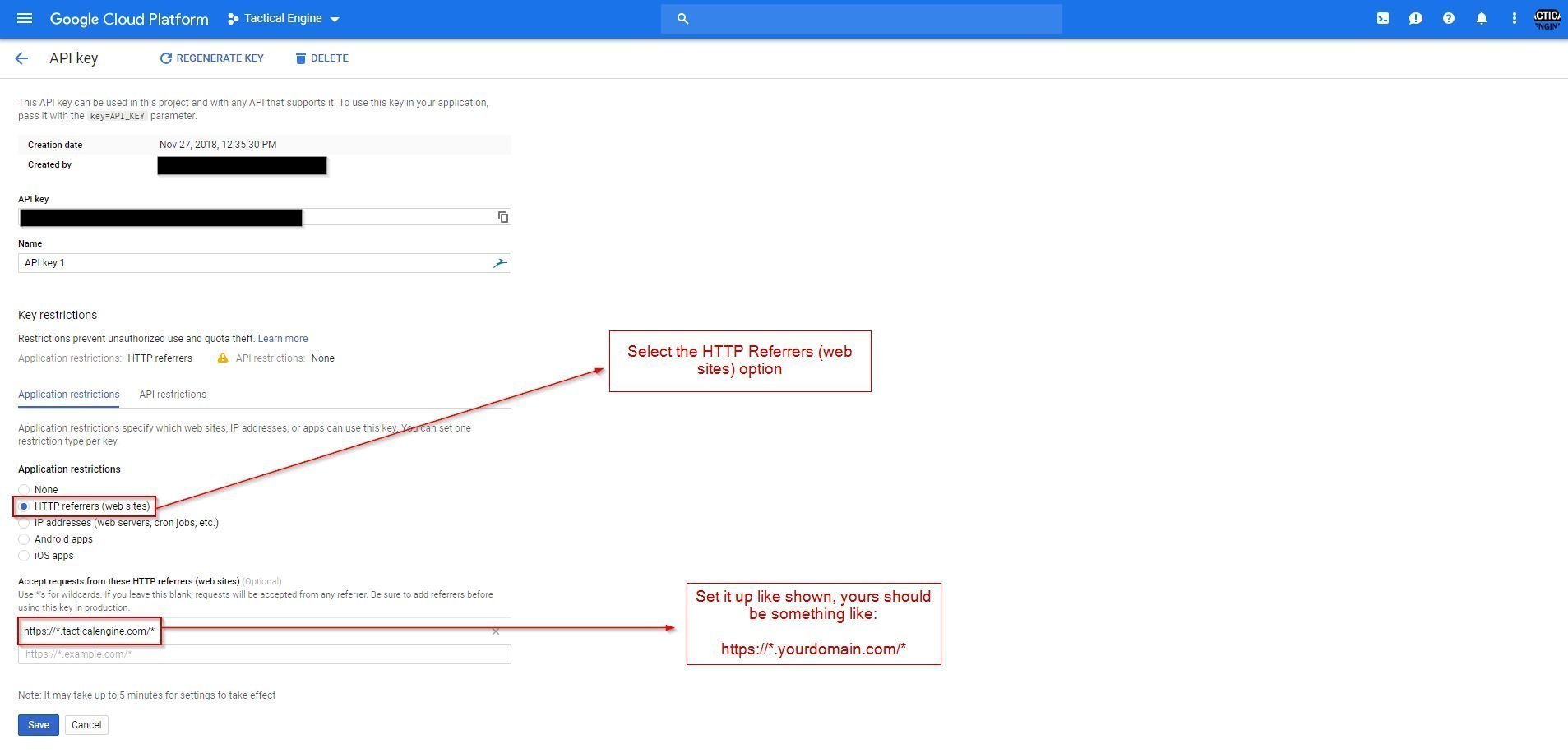
The change takes about five minutes to propagate. After that, the key only works from your domain, and anyone who tries to use it elsewhere gets denied automatically.